

The short version
PHP, the software that runs WordPress and most of the nonprofit web, shipped an emergency security fix on October 21, 2026 for two flaws that let an attacker take over a web server without logging in. If your organization has a website, someone needs to apply that fix today. Sites on PHP 8.1 or older can't take the fix as a simple update and need a version upgrade, which can change how the site looks or behaves.
Two other advisories landed in the same week. A certificate authority called eMudhra had eight signing keys compromised; browsers already block them, so keeping browsers and devices updated covers the typical nonprofit. Node.js also released security updates on October 21 that matter if your organization runs a custom web application.
What to do: ask whoever hosts or manages your site to confirm the PHP version and apply the October 21 release. If nobody has a clear answer within a few hours, that gap is the real finding, and it's the one worth fixing permanently.
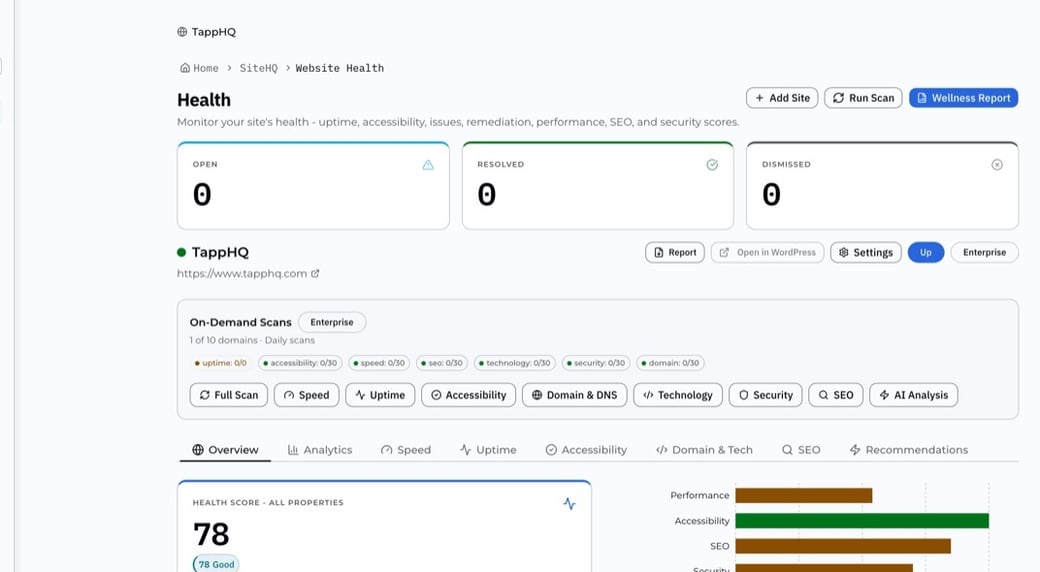
Not sure where your site stands? Run the free Website Wellness Check from TappHQ. Enter your site address and you'll get a public report on uptime, mobile and desktop speed, and SSL validity in a few minutes, with no account required. It won't tell you your PHP version, but it will tell you whether your site is reachable and whether its certificate is sound, which is the right place to start before you email your host.
What happened on October 21
The PHP project released versions 8.5.12, 8.4.27, 8.3.36, and 8.2.35 to close two critical vulnerabilities. Security researchers at Sansec have named the pair PHP2Shell, and the PHP team's own advisory says there are no complete mitigations short of updating.
Both flaws allow remote code execution. In plain terms, an attacker sends a specially shaped web request and gets to run their own commands on your server, with no password and no account. From there they can read your database, plant malware, redirect your donation page, or use your server to attack others.
The PHP team rates the risk highest for servers running Apache with mod_php, where it has a working exploit that fires before any of your site's own code runs. Every common way of running PHP is affected, including PHP-FPM, php-cgi, FrankenPHP, and LiteSpeed. That covers nearly every WordPress host on the market.
Two details raise the urgency. The vulnerabilities were announced a day ahead of the fix, so attackers knew to be ready. And the fix is public now, which means anyone can compare the patched code to the old code and work out how to exploit the unpatched version. In past PHP and WordPress incidents, the window between a public patch and mass scanning has often been days, and sometimes hours.
|
Would you know if your site stopped responding tonight?
SiteHQ in TappHQ checks your site as often as every five minutes and emails you when it goes down or a certificate nears expiry. See SiteHQ.
|
Is your nonprofit's website affected?
If your site runs on WordPress, Drupal, Joomla, Laravel, Magento, or almost any custom-built site older than a few years, it runs on PHP, and the answer is yes until someone confirms the update is applied. The open questions are which version you're on and who is responsible for updating it.
There are three situations a nonprofit can be in right now.
Supported PHP, managed host. Your site runs PHP 8.2, 8.3, 8.4, or 8.5 on a host that manages the server for you. Linux distributions and long-term-support vendors received the fix in advance, and hosts are rolling it out today. You still need confirmation that it reached your server. Ask, and get the version number back in writing.
Supported PHP, self-managed server. Someone on your team or a contractor runs the server. That person needs to install the October 21 release today. If they can't reach it today, Laravel's guidance to its own hosting customers applies to anyone: power the server down until it can be patched.
PHP 8.1 or older. This is the hard case, and it's common among nonprofit sites that haven't been touched in a few years. PHP 8.1 and older no longer receive updates from the PHP project. The security team published minimal source backports for 7.4, 8.0, and 8.1 because of the severity, but those require someone to build PHP from source. For most organizations the realistic fix is a version upgrade to 8.2 or newer, and that upgrade can break themes and plugins written for the old version. Plan for a staging test, a visual check, and a developer on hand.
A fourth situation deserves its own line: you don't know which of the three you're in. That's more common than anyone admits, and it's the situation this post is written for.
php.net keeps the authoritative list of which versions still receive security fixes.
|
FREE FROM TAPPHQ
Get a read on your site before you email your host.
The Website Wellness Check reports uptime, mobile and desktop speed and SSL validity in a few minutes, with no account required.
|
What to do today, in order
You don't need to understand the vulnerability to close it. You need to reach the right person and ask a few direct questions.
- Find out who hosts and who manages your site. These are often two different parties. The host runs the server; the manager (an agency, a freelancer, a staff member) runs the site. If your records don't say, check who you pay: the hosting invoice and the maintenance invoice name them.
- Ask the host or manager, in writing: "What PHP version is our site running, and has the October 21 security release been applied?" A good answer includes a version number ending in .12, .27, .36, or .35 (for the 8.5, 8.4, 8.3, and 8.2 lines respectively) and a time the update was completed.
- If the answer is a version starting with 8.1, 8.0, 7, or anything older, ask for an upgrade plan with a date. Insist on a staging copy of the site being tested first. Ask what plugins or themes are known to be incompatible.
- If the answer is silence, or "we'll get to it," escalate. Today, a managed host that hasn't patched is a host that has made a decision about your risk without asking you.
- Once patched, ask for a quick scan of the site for anything added or changed in the last 48 hours. Early exploitation attempts leave traces in access logs and in unexpected new files.
If you're a client of Tapp Network on a hosting or maintenance plan, you don't need to do any of this. We're applying the release across every site under management today and will confirm with you directly.
If you're not sure who manages your site at all, contact us and we'll find out for you. That's a faster path than searching old email.
What about the eMudhra certificate compromise?
For most nonprofits, this one is handled by keeping browsers and devices up to date. Here's what happened and why that's enough for the typical organization.
Every site that shows a padlock relies on a chain of certificates that proves the site is who it says it is. A small number of companies, called certificate authorities, sit at the top of that chain. eMudhra is one of them, operating under the emSign brand. On October 17, a researcher demonstrated control of the private keys behind eight of eMudhra's intermediate certificates. Anyone holding those keys could have issued a certificate for any website on the internet, and a browser that trusted the chain would have shown the padlock.
The response was fast. Chrome and Firefox blocked the eight certificates on October 17, within hours of the report. Apple followed on October 19 and Microsoft on October 20. Android devices got the block through Google Play Services on October 19. eMudhra revoked the certificates and said they were created during a key generation ceremony in April 2025; Google attributed the weakness to too little randomness in that key generation. Google's root program found no certificates chaining to the affected intermediates in the public Certificate Transparency logs, which means browsers that enforce those logs could not have been fooled before the block.
What this means for your organization: if your staff run current versions of Chrome, Firefox, Safari, or Edge, and their laptops and phones take updates, they're covered. That's the whole action item for the browser side.
Where it's less simple is software that isn't a browser. Command-line tools, API clients, integration scripts, and the language runtimes behind custom applications each carry their own list of trusted certificates, and those lists don't update themselves the way a browser does. If your organization runs a custom app, an integration server, or anything that talks to other services over HTTPS, the people maintaining it need to confirm the trust store has been updated. The Node.js releases of October 21 include that block, which is part of why they matter.
Node.js shipped security updates the same day
If your organization runs a custom web application, a member portal, an integration service, or an AI tool built in the last few years, there's a reasonable chance it runs on Node.js. On October 21 the Node.js project released 22.23.4, 24.22.1, and 26.12.1 as security releases.
The 22.23.4 release notes list four high-severity CVEs across TLS certificate handling, DNS input validation, and the Brotli compression library, plus two medium and one low. The release also updates the bundled root certificate store, which is how the eMudhra block reaches Node applications.
None of these is as urgent as the PHP release. Together they're a useful reminder that a nonprofit's technology footprint usually has more than one runtime in it, and each one needs someone watching its release feed. Ask whoever maintains your custom applications which Node version they're on and when they plan to move to the October 21 release.
Why this keeps happening to nonprofits
A website is not a finished object. It's a stack of software, and every layer of that stack has its own release schedule, its own end-of-life date, and its own security advisories. A typical nonprofit WordPress site sits on PHP, a web server, a database, an operating system, WordPress core, a theme, and somewhere between ten and forty plugins. Each one gets updates. Several will get an emergency update in any given year.
The PHP project's release cycle makes the problem concrete. Each PHP version gets active support for two years and security fixes for two more, then nothing. PHP 8.1 reached the end of security support at the end of 2025. Any site still on it today is running software nobody is fixing, and today's advisory is the first serious test of what that costs. It won't be the last.
The pattern we see across nonprofit sites is the same one that shows up in any under-resourced technology environment. The site was built by an agency or a volunteer. Launch went fine. Then the budget line for maintenance was the first thing cut, or it never existed, and the site drifted. Nobody is wrong in that story. There's simply no person whose job is to read the PHP release feed at 10:00 a.m. on a Wednesday and act on it before lunch.
That gap shows up in three ways. Versions age past their support window, so a fix like today's doesn't apply cleanly. Ownership blurs, so when a fix is needed, the first hour goes to finding out who has access. And the cost of catching up grows, because a site that's two PHP versions behind needs a migration project, not a patch.
Attackers know all of this. The reason mass exploitation tends to follow a public patch within days, and sometimes hours, is that the unpatched population is large and predictable, and small organizations with aging sites are the softest part of it. A compromised nonprofit site is rarely the target in itself. Attackers use it as a free server to send spam, host phishing pages, or mine cryptocurrency until someone notices. Donors notice first, usually because the donation page started redirecting somewhere else.
The fix for the pattern is the same at every size: one accountable party watching the release feeds for every layer of the stack, with access and documentation in place so they can act the same day. That can be a staff member with the time and the skills. More often, for a nonprofit, it's a partner whose plan includes it.
| SITEHQ
Your Whole Website, Watched
One accountable view of your site: uptime, speed, accessibility, SEO and security scored into one health number, with the CMS and libraries it runs listed so the next advisory starts from an inventory.
|
For the technical reader: versions, CVEs, and mitigations
This section is for whoever actually touches the server. Everything above still applies; this is the detail you'll need to act.
The PHP CVEs. CVE-2026-109618 is remote code execution through out-of-memory corruption: an allocation failure interrupts PHP while per-request data is partially initialized, and request cleanup then treats that invalid data as valid. CVE-2026-109619 is remote code execution through stale global state: request-owned state survives after its memory is freed, and a later request on the same worker can reach it before normal initialization resets it. Both trigger from an unauthenticated request. The PHP team has a working exploit for the mod_php case that fires before any application code runs. GitHub advisories: GHSA-w8hw-w9fx-j79w and GHSA-6wmf-4rv5-p3rp.
Fixed versions. 8.5.12, 8.4.27, 8.3.36, and 8.2.35. Linux distributions and LTS vendors received the patches in advance, so check your distribution's package feed before building from source. The volunteer-maintained remirepo.net repository was not expected to have updates on release day; the PHP team's advice there is to switch to distribution packages or build from source. For 7.4, 8.0, and 8.1, minimal source backports exist on dedicated branches of php-src, but they're source-only and carry no promise of further updates.
Checking your version. On a server, php -v reports the CLI version, which can differ from the version serving web requests. For the web-facing version, check the FPM pool or the Apache module, or drop a one-line phpinfo() file and remove it immediately after. In WordPress, Site Health under Tools (Info tab, Server section) reports the PHP version the site is running on. Many hosting control panels expose it as a per-site setting.
If you can't patch today. Updating is the only complete fix, and the PHP team says so plainly. The advisory does list settings that narrow specific attack paths. For the OOM path: set memory_limit=-1 somewhere applications can't override it (such as php_admin_value in the FPM pool or Apache config), lower post_max_size (8M without uploads, 32M with), keep upload_max_filesize below it, enforce request size and part-count limits at the web server or proxy, and use a container or cgroup memory limit rather than RLIMIT_AS or RLIMIT_DATA, which can cause the vulnerable allocation failure. For the stale-state path: set session.upload_progress.enabled=0 in php.ini, an FPM pool, or server config and restart every worker (ini_set() and .user.ini apply too late); on 8.5 also set fatal_error_backtraces=0; remove invalid or deprecated per-request settings that emit diagnostics before initialization; and fix any fatal errors or timeouts an attacker can reach. Sansec's write-up adds blocking multipart/form-data at the web server and putting the site behind a WAF as stopgaps. Treat all of this as a bridge to the patch, not a substitute.
After patching. Review access logs for unusual multipart POST requests in the hours before and after the patch, check for new or modified files in web-writable directories, and rotate any credentials stored in configuration if you find evidence of exploitation.
Node.js. Move to 22.23.4, 24.22.1, or 26.12.1 depending on your line. The 22.x notes list CVE-2026-106069 and CVE-2026-106072 (TLS rejects non-canonical IP addresses), CVE-2026-105482 (DNS resolve inputs validated for null bytes), CVE-2026-111497 (Brotli), CVE-2026-105481 (HTTP agent data guard), CVE-2026-106074 (crypto random cache reset across snapshots), and CVE-2026-106073 (permission model in realpathSync). Root certificates update to NSS 3.131.1, and a separate TLS commit rejects chains containing blocked public keys, which is the eMudhra block.
eMudhra beyond the browser. Browser blocks don't reach curl, Python's requests, Java trust stores, container base images, or embedded devices. Check each for a vendor update that removes or blocks the eight intermediates (and, increasingly, the emSign ECC Root CA G3 root they chain to, which Chrome has said it will drop on October 27). If you run mutual TLS, your own servers, or a corporate proxy, the disclosure site lists affected certificates and a script for blocking them locally on machines that can't update.
How Tapp Network handles a day like this
For the organizations on our hosting and maintenance plans, today is a working day with a longer checklist, and that's the point. Every site under management has its hosting location, subscription, and access recorded in one place, so the first hour went to applying the release rather than finding out where the site lives. PHP versions are managed as part of the plan, which means the sites we host were already on supported versions before this morning and the October 21 release applies as a patch, not a migration.
What a hosting and maintenance plan with us covers, in plain terms: managed PHP versions and security patches, nightly backups, SSL, a CDN and firewall, malware scanning, uptime and security monitoring, and plugin licensing and updates. When an advisory like PHP2Shell lands, those pieces are what turn a scramble into a routine: a bad update can be rolled back from last night's backup, monitoring shows us exploitation attempts, and because the PHP version is already supported, the fix exists for your site in the first place.
For organizations that aren't on a plan, we can still help today. We'll check your site, confirm the PHP version, and work with your current host to get the fix in place. If the site is on PHP 8.1 or older, we'll scope the upgrade and tell you what's likely to break before anything is changed. Contact us and tell us the site address; that's all we need to start.
Watch your own site with SiteHQ
If you'd rather have the monitoring in your own hands, that's what SiteHQ in TappHQ is built for. It works on any website, whether we built it or not, and it watches the things that are hard to notice from the inside.
SiteHQ runs availability checks as often as every five minutes, tracks SSL certificate expiry and the full certificate chain, and scores the security headers your site sends. Its technology detection identifies the CMS, frameworks, and libraries running on the site, so outdated or risky dependencies surface before they turn into an incident. Alerts go out by email or Slack the moment the site goes down, a certificate nears expiry, or a new critical issue appears. All of it rolls into one health score with a 30-day trend you can put in front of your board.
For a day like today, that means two things. You'd already have a record of the CMS, frameworks, and libraries your site runs, so the question "are we affected?" starts from an inventory instead of an email thread. And if an upgrade changes something, the uptime, performance, and accessibility scans would show it.
Start with the free Website Wellness Check. Enter your site address and you'll get a public report covering uptime, mobile and desktop PageSpeed, and SSL validity, with no account required. Ongoing monitoring starts at $29 a month for nonprofits on the SiteHQ Starter tier, and TechSoup members receive discounted pricing on paid plans.
Monitoring tells you something is wrong. It doesn't apply the patch. That's why SiteHQ and a hosting plan fit together: one shows you the state of the site, the other keeps it current.
Frequently asked questions
What is PHP2Shell? PHP2Shell is the name security firm Sansec gave to two critical PHP vulnerabilities, CVE-2026-109618 and CVE-2026-109619, fixed on October 21, 2026. Both allow an attacker to run code on a web server through a crafted request, with no login.
Which PHP versions fix the PHP2Shell vulnerabilities? PHP 8.5.12, 8.4.27, 8.3.36, and 8.2.35. Older lines (8.1, 8.0, 7.4) received source-only backports with no promise of future updates; the practical fix for those is upgrading to a supported version.
Does this affect WordPress sites? Yes. WordPress runs on PHP, so every WordPress site is affected until the server's PHP is updated. The fix is applied at the server, by your host, not inside the WordPress dashboard.
How do I know what PHP version my website uses? Ask your host or web manager. If you have WordPress admin access, go to Tools, then Site Health, then the Info tab; the PHP version is in the Server section. The free Website Wellness Check from TappHQ reports on uptime, speed, and SSL and is a quick way to see your site's public health.
What if my site is on PHP 8.1 or older? It needs a version upgrade to 8.2 or newer, not just a patch. Upgrades can break older themes and plugins, so test on a staging copy first and have a developer available.
Do I need to do anything about the eMudhra certificate compromise? For most organizations, keep browsers and devices updated and you're covered; Chrome, Firefox, Apple, and Microsoft all blocked the affected certificates between October 17 and 20. If you run custom applications or integrations, the people maintaining them should confirm the software's certificate trust store has been updated.
Does the Node.js release matter for my nonprofit? Only if you run a custom application, portal, or integration built on Node.js. If you do, ask the maintainer to move to 22.23.4, 24.22.1, or 26.12.1.
How often do security updates like this happen? PHP publishes security releases several times a year, and WordPress core, themes, and plugins publish them far more often. Emergency releases of this severity are rarer, but each one lands on the same question: who at your organization is responsible for applying it that day?
Check your site today
We can check your site today and work with your host to get the fix in place if needed. If you'd rather not track updates like this yourself in the future, our hosting and maintenance plans cover it. And if you're not sure who manages your site, or you'd like some clarity that your digital tools aren't at risk, send us the site address and we'll get started.
Want a read on your site before you reach out? Run the free Website Wellness Check now, then set up ongoing monitoring with SiteHQ so the next advisory finds you already looking.
Sources
- Laravel News, PHP Security Releases Fix Two Critical RCE Vulnerabilities, October 21, 2026
- Sansec, PHP2Shell: Critical PHP RCE (CVE-2026-109618, CVE-2026-109619), October 21, 2026
- PHP, Supported Versions
- PHP, October 21, 2026 release announcement; php-net.pro, PHP 8.5.12 released with security fixes
- Node.js, Node.js 22.23.4 (LTS) release notes, October 21, 2026
- The Hacker News, Eight eMudhra CA Keys Compromised, Triggering Emergency Fixes Across Browsers and Software, October 20, 2026
- iTnews, Cloudflare warns fixing botched eMudhra certs goes beyond browsers, October 2026
- The Next Web, Eight eMudhra certificate keys were so weak that one was the number 4, October 2026
- eMudhra Intermediate CA Compromise disclosure site







.jpg)